
Scope changes on most jobs. The customer adds two brackets, the drawing was wrong, the material moved. In shops quoting from spreadsheets this creates a second file with a slightly different name, and a conversation three weeks later about which number was the real one.
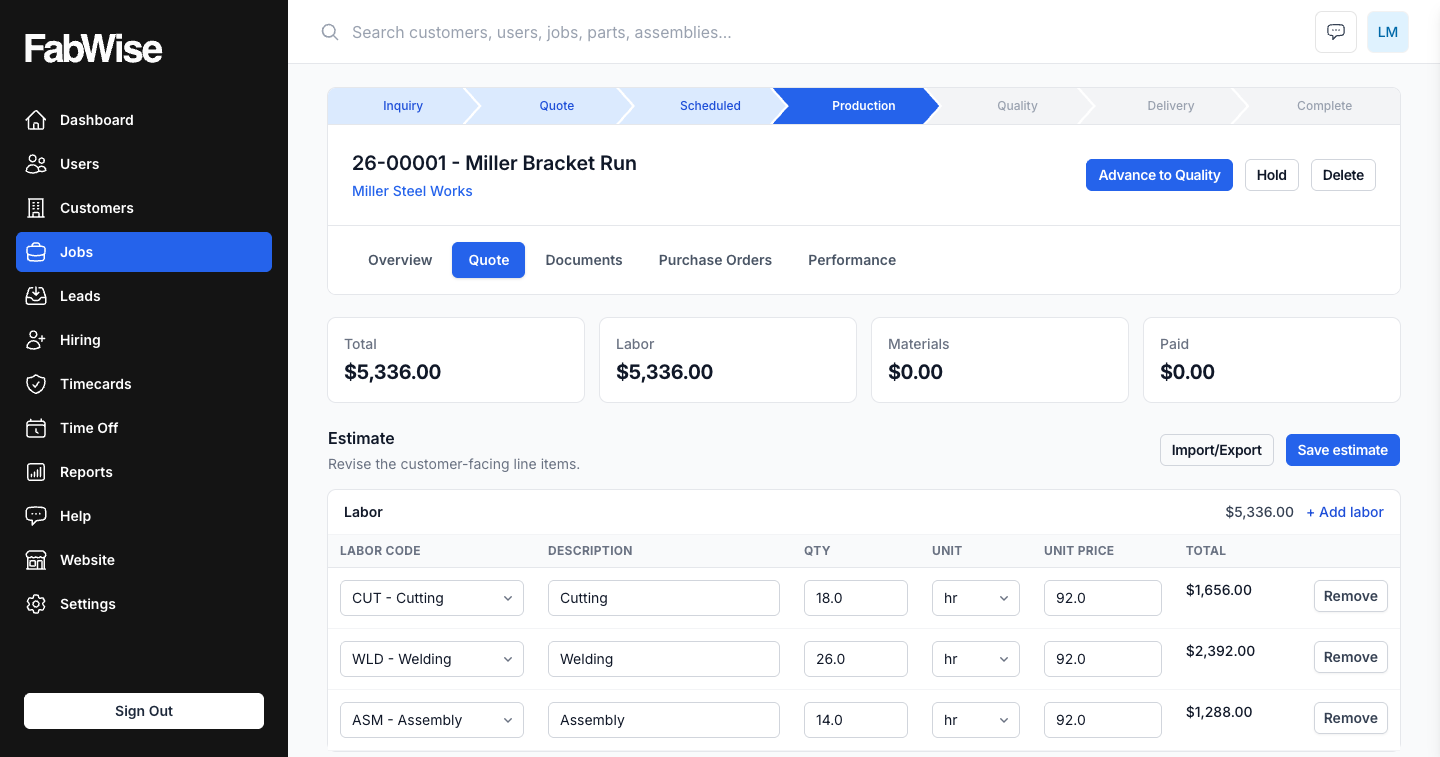
A change order in FabWise revises the contract without destroying the thing it revised.
The Version Problem Is a Money Problem
"Which quote did they accept?" sounds like an administrative question. It is a billing question, and shops lose real money to it.
The usual sequence: original quote goes out, customer verbally agrees to an addition, someone updates the estimating sheet, the job runs, and at invoice time nobody is certain whether the agreed total included the addition. The shop either bills the higher number and spends a week defending it, or bills the lower one to avoid the argument. Both outcomes are decided by whoever kept the better notes.
Underneath is a records problem: the document that was agreed to has been edited since it was agreed to.
How a Revision Works
You start a change order from the accepted job, edit the lines to reflect the new scope, and issue it. The customer accepts it the same way they accepted the original — an emailed link, an acceptance page with your branding, and a recorded agreement.
Once accepted, the change order becomes the job's live contract. The version it replaced is marked Superseded.
Superseded is not deleted. The original stays on the record, readable, exactly as the customer received it. If anyone asks what was agreed and when, the answer is a document rather than a recollection.
The Job Does Not Move Backward
This is the part shops usually expect to hurt, and it does not.
Revising the contract does not reset the job in production. Work in progress stays in progress. The crew does not stop, nothing needs re-approving internally, and the job's stage is untouched. Only the contract changes.
That separation matters because in practice the paperwork and the metal move at different speeds. Scope gets agreed on the phone Tuesday and the change order is issued Thursday, while the shop has been building since Monday. A system that halts production until the paperwork catches up is one people work around, and a system people work around stops being a record.
Every Version Is Kept
Both the original quote and the change order are versioned documents — each saved as issued, each unchanged by later edits.
A job that has been revised twice carries three documents: the original, the first revision, and the current live contract. Two are superseded. All three are readable.
For a shop that has ever argued with a customer about scope, this is the whole feature. The argument is not really about the work; it is about whose memory of the agreement is right. A stack of issued, dated documents ends that conversation quickly and in your favor when you are in the right.
What This Is Not
FabWise is not accounting software and does not process payments. A change order revises the contract of record; it does not move money, post to a ledger, or touch your books.
What it changes is what the invoice is generated from — the accepted contract, whichever version that now is — and what your job costing compares actual hours against. The contract lives here because the job lives here. The money still lives in your accounting system.
Where It Fits
A change order sits between quoting and billing, and it feeds the same comparison everything else does: the revised contract becomes the estimate that actual labor is measured against.
A job whose scope grew but whose estimate never did will read as an overrun forever. Revising the contract is also how the cost data stays honest.