FabWise iOS App — The Admin Console on Your iPhone
The FabWise iOS app is the admin console on your phone, for the people who answer for the shop: owners, managers, and supervisors. It answers one question fast — what's happening in my shop right now — and then lets you act on it without going back to a desk.
It is a companion to the admin console, not a replacement for it. Deep work still belongs on a real screen. But the decisions that hold up a week rarely need a real screen — they need to happen before the week closes.
The Problem It Solves
Shop owners are not at a desk. They're on the floor, at a customer, at a supplier, or driving between them. Meanwhile the things that block Friday's payroll accumulate quietly: someone forgot to clock out Tuesday, someone's meal break doesn't match the schedule, a shift ran three hours past its schedule and nobody flagged it.
Those items sit until someone sits down. Then they all get resolved at once, from memory, days later — which is exactly when the memory is worst and the pressure is highest.
The iOS app moves those decisions to the moment they happen, when you still remember why.
See the Floor Right Now
Open the app and you get the current state of the shop:
- Who's clocked in, and what job each person is on
- Which shifts need a decision — the review queue, not the whole week
- Time-off requests waiting on you
- Job status — what's active and how labor is tracking against it
It's the same data the admin console shows, on the same records. There's no separate mobile database and no sync step to wonder about.
Correct a Shift From Anywhere
This is the part that distinguishes it from a dashboard app. It isn't read-only — reviewing and correcting shifts is a first-class capability on the phone, not a preview of work you'll redo later at a desk.
From the app you can:
- Acknowledge an exception — a late start you already knew about, a short shift you approved
- Correct clock times when someone forgot to clock in or out
- Correct a meal break — took it, skipped it, or took it at a different time
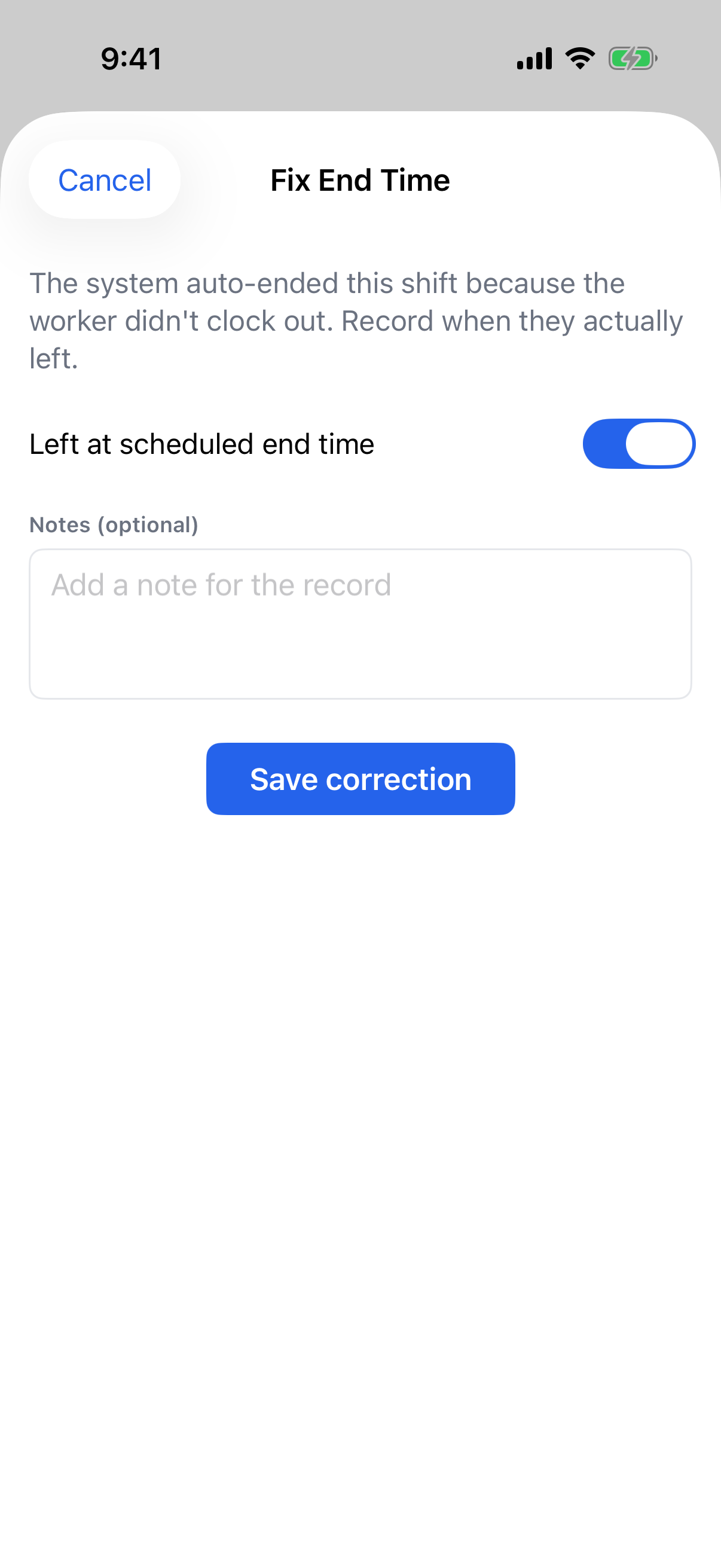
- Close out an auto-ended shift where a worker left without clocking out
- Approve or deny time-off requests
Corrections made on the phone follow exactly the same rules as corrections made in the console. The original capture is never overwritten — a correction is recorded as a separate event carrying your name, the time you made it, and the reason. The audit trail is identical regardless of which device you were holding.
Some things deliberately stay on the desktop: building the schedule, creating tasks, and account configuration. Those are deliberate, high-context jobs, and shrinking them onto a phone would make them worse rather than more available.
Alerts That Reach You
The app pushes the exceptions that need a person. A worker who never clocked out, a shift that has run far past its schedule, a time-off request that's waiting — these reach you when they happen rather than when you next open a laptop.
Notification preferences are yours to set. The goal is a small number of notifications that always deserve a look, not a feed you learn to swipe away.
Signing In Without a Password
The app has no password to forget or share. You sign in with a passkey — Face ID or Touch ID on your own device — and a first sign-in on a new phone is confirmed with a short code sent to your work email.
There's a practical reason beyond convenience. A shared or reused password on an app that can approve payroll-bound records is a real exposure, and shop-floor environments are where credential hygiene realistically breaks down first. Removing the password removes the failure mode.
Access follows your role. Admins, managers, and supervisors get the app automatically — there's no separate license to buy or toggle to find.
See It Before You Download It
You don't have to install anything to evaluate it. Book a live demo and we'll walk you through the app against real shop data, on a call, with your questions in the room.
If you'd rather just try it, your shop needs a FabWise account first — the app signs in against your shop's records, so there is nothing to see without one. Start a free trial and download the app from the App Store the moment your account is live.
Requirements
- iPhone running iOS 17 or later
- A FabWise account with the admin, manager, or supervisor role
- A work email address that can receive a sign-in code
See time tracking for the full review-and-correction workflow, kiosk and workstation for the shop-floor capture surfaces, and payroll export for what happens after the week is approved.