
A worker forgets to hit End Shift. The system auto-ends it and leaves the end time blank. In most shops that becomes a Friday problem — a stack of flagged shifts and a series of "do you remember what time you left on Tuesday?" conversations that nobody wins.
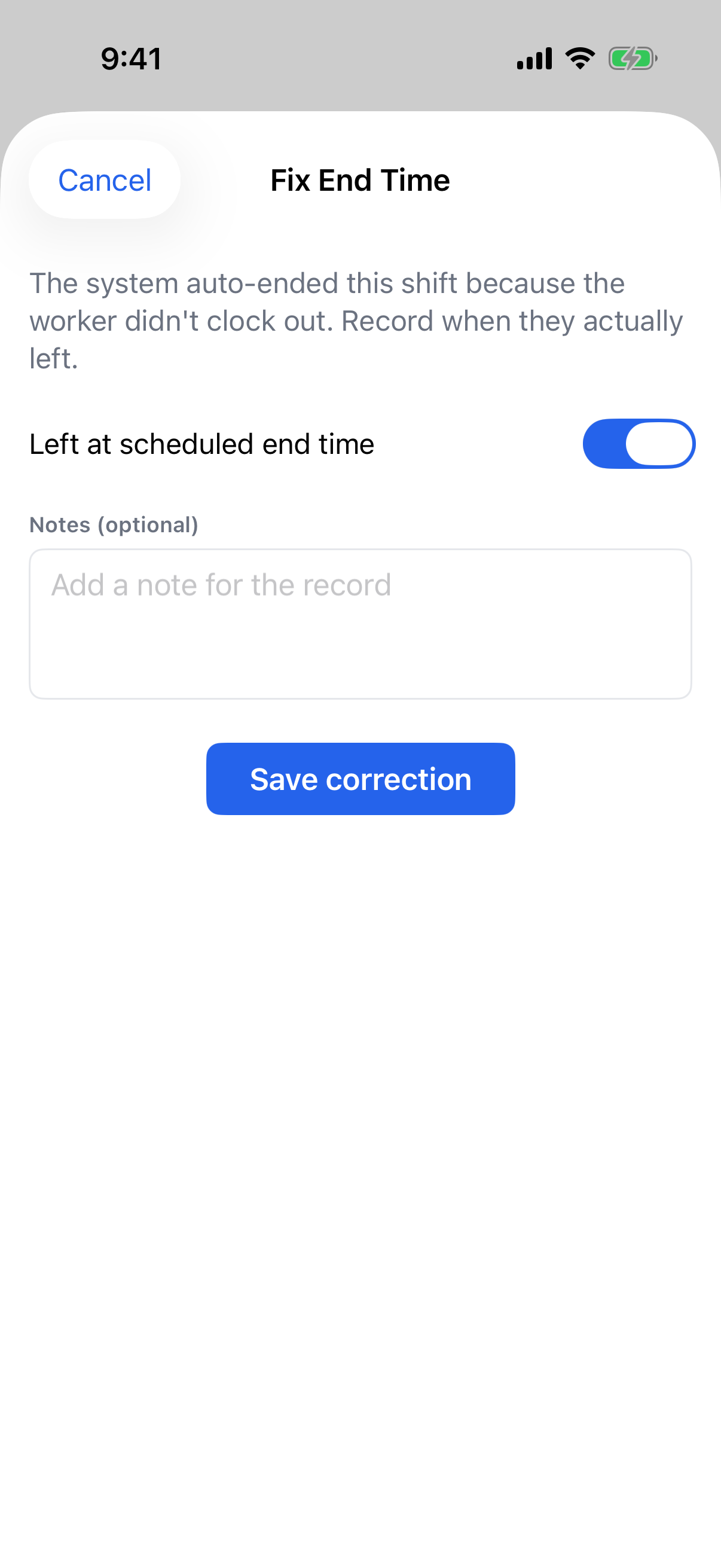
The FabWise iOS app lets you fix it the moment the alert lands, while the answer is still fresh.
Why Timing Is the Whole Problem
The information needed to correct a shift decays fast.
On the day it happens, the supervisor usually knows: they saw the person leave, or the crew was on the same job, or the answer is simply "they worked their normal shift and forgot." By Friday, nobody remembers. The correction becomes a guess, and a guess in payroll is either money the shop gives away or an hour the worker was owed and lost.
Fixing it on the phone, from the notification, is not a convenience feature. It is the difference between a record and a reconstruction.
What You Can Fix From the Phone
You reach a flagged shift by tapping the notification, or from the Alerts list.
Acknowledge something that is fine. For a needs-review item where the times are right as they stand, one tap clears it. That clears only that item — anything else on the shift stays open until you handle it.
Fix an auto-ended shift. When a worker forgets to clock out, you supply the real end. Left at scheduled time is one tap when they worked their normal shift. Enter end time is for when they left early, with an optional note.
Confirm the meal break. If the meal was not confirmed, settle it in one tap — the worker took it, or worked through it.
Correct the times. When a start or end time is simply wrong, enter the right ones and the shift recalculates.
You Cannot Approve a Missing Number
There is one thing the app deliberately will not let you do: approve an auto-ended shift.
An auto-ended shift has no real end time. There is nothing to approve. Approving it would mean putting a guess into payroll, so the app asks for the correction first.
That is a small refusal that says a lot about how the system treats time records. The easy design lets you clear the flag and move on. This one makes you supply the fact.
Corrections Sit On Top, They Never Overwrite
Every correction is layered over the worker's original record. What they actually tapped is never overwritten.
That matters for two reasons that pull in the same direction. If a worker ever disputes their hours, the original capture is still there — you can show what was recorded and what was corrected, by whom, and why. And if you make the wrong correction, you just correct it again; nothing is destroyed.
Corrections carry your name, the time, and the reason. The audit trail is the same whether the correction happened on a phone in a parking lot or at a desk.
Acknowledgments Reopen When Facts Change
If you acknowledge an item and something about that shift later changes, the acknowledgment reopens on its own.
This is worth understanding because it is unusual. Most systems treat "reviewed" as permanent — you clear it once and it stays cleared, even if the underlying data moves. Here, an acknowledgment is a statement about a specific set of facts. Change the facts and it stops applying, so the item comes back for another look.
The alternative is a shift marked reviewed that no longer matches what it says.
What Still Lives at a Desk
The phone handles the quick review-and-correct acts. The deeper work — building schedules, creating shifts, editing tasks, changing settings — stays in the web app.
That split is intentional rather than a gap. Configuration is high-context, deliberate work, and shrinking it onto a phone makes it worse rather than more available. Reviewing an exception is the opposite: short, urgent, and better done where you are standing.
Where It Fits
This is the correction end of a longer chain. The kiosk or workstation captures what a worker taps, shift review flags what needs a decision, and the iOS app is where the decision gets made when you are not at a desk — so the week reaches payroll export already settled.