Payroll Export for Fabrication Shops
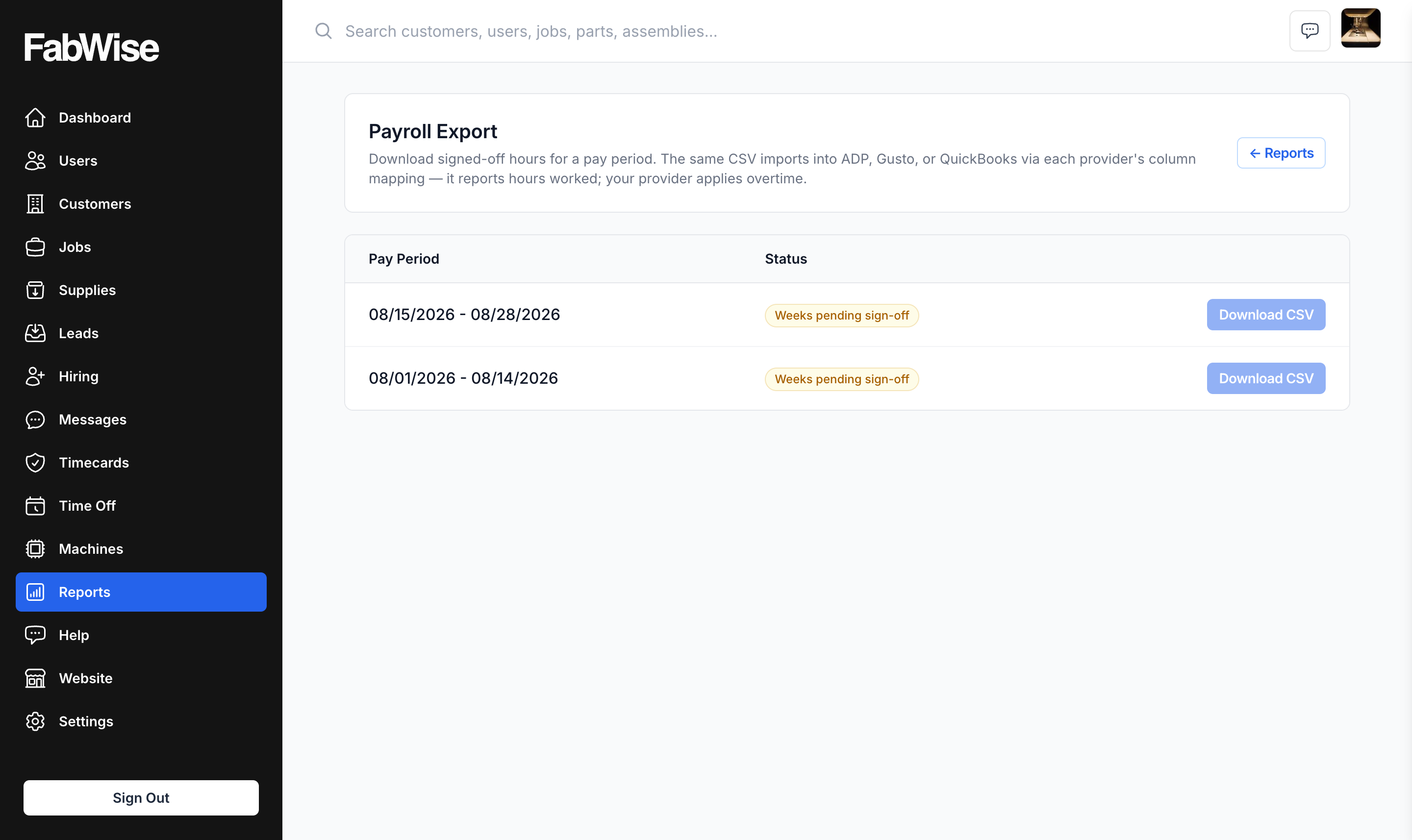
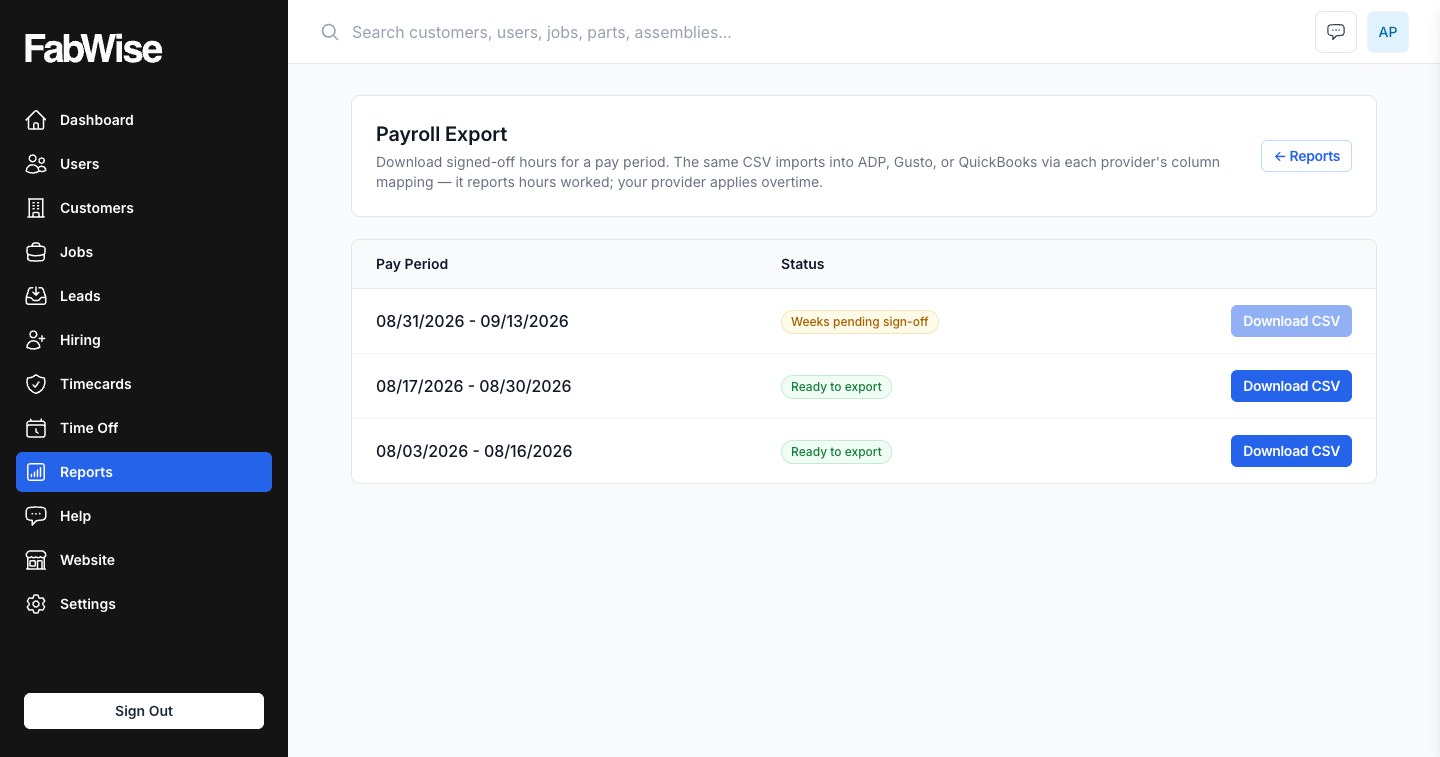
FabWise exports your signed-off pay period time records as a CSV your payroll provider can ingest. Workers clock in and out throughout the week; the admin signs off the weeks; the export file goes to whatever payroll system you run. Your payroll provider handles overtime classification, tax calculation, and compliance. FabWise handles the accurate time capture that makes their calculations correct.
The Payroll Hand-Off Problem for Fab Shops
Most fabrication shops on a modern payroll provider still have a manual step in the middle: someone has to take raw time data — from time cards, spreadsheets, or a generic time tracking tool — and convert it into the format the payroll provider expects.
That conversion step introduces errors. Hours get transcribed wrong. Rounding rules get applied inconsistently. Overtime hours get miscounted. Workers get paid the wrong amount, or the payroll run has to be reversed and rerun — a process that costs administrative time and generates accounting corrections.
FabWise eliminates the manual conversion step. The export is generated from signed-off shift records in a clean, consistent shape your provider can map once and ingest every period after. No transcription, no rebuilding a spreadsheet, no manual overtime calculation.
According to the Bureau of Labor Statistics, payroll errors cost U.S. employers billions annually in corrections, reprocessing, and associated administrative labor. For small fabrication shops, a single payroll correction can take two to four hours of admin time.
One File, Any Provider
FabWise produces one CSV per pay period with a stable set of columns: employee, pay period start and end, regular hours, and time off split into vacation, sick, personal, holiday, and other.
There is no provider picker and no per-provider format, because there does not need to be. Payroll systems import hours through their own column-mapping step — you point their importer at the columns once, and every period after that is the same file in the same shape. That works for the large national providers, for regional ones, and for a proprietary system your accountant runs, without FabWise having to know which you use.
The stability is the feature. A file whose columns move between periods is one somebody has to re-check every time; this one does not move.
Note what the file does not contain: overtime, doubletime, or any other pay classification. That is deliberate. FabWise reports the hours worked; your provider applies its own overtime and pay rules to them. A time system that pre-classifies overtime is a time system that can get your payroll wrong.
The Approval Workflow Before Export
FabWise does not allow export of unapproved records. The workflow:
Throughout the week: Workers clock in and out from the kiosk or workstation. Supervisors review flagged records — missed breaks, corrections, unscheduled overtime — in real time.
Pay period close: The admin opens the pay period review screen. Every shift for the period is visible: regular time, overtime, meal break declarations, any supervisor corrections. Shifts that need review are flagged.
Sign-off: The admin signs off each worker's week once its flagged records are resolved — a week with an open exception cannot be signed. Sign-off locks that week: no further edits without an explicit unlock, which is itself recorded.
Export: Once every week in the period is signed off, the period's download unlocks and the CSV is generated from the signed-off records.
Upload: Admin uploads to the payroll provider's portal. The provider processes payroll from the file.
The typical time from period approval to export file download is under one minute. Upload to the payroll provider portal adds two to five minutes depending on provider. Total payroll processing time from review start to upload: under ten minutes for most shops.
What's in the Export File
The export includes, per worker, per pay period:
- Employee
- Pay period start and end dates
- Regular hours (post-rounding, per your configured rounding rule)
- Time off, split by type: vacation, sick, personal, holiday, benefit hours, other PTO
- Notes — any acknowledgement a supervisor recorded against a shift in the period
That is the whole file. There is no overtime column and no doubletime column, which is the next section.
The export reflects corrected values where a supervisor has attached a documented correction to a shift record. Original captures and corrections are preserved in FabWise's audit trail; the export uses the final approved values.
The file does not include pay rates, tax information, or worker personal data beyond the identifier your provider uses. Pay rates stay in your payroll provider's system. FabWise handles hours; your provider handles money.
Time Rounding — Consistent, Configurable, Automatic
Payroll systems expect time in rounded increments. Inconsistent rounding — some records rounded to 15 minutes, others to the nearest 6 minutes, others not rounded at all — produces payroll discrepancies that require manual correction.
FabWise applies a single, account-wide rounding rule configured at setup: 5, 6, 10, 15, or 30-minute intervals. Every clock-in and clock-out is rounded to that interval before the shift record is finalized. The rounding is consistent across all workers and all shifts.
The raw capture time is preserved on the shift record for reference. The rounded time appears in the export. Your payroll provider receives consistently rounded data.
Overtime — FabWise Reports Hours, Your Provider Classifies Them
FabWise does not split overtime out in the export, and that is deliberate rather than missing. The file carries Regular Hours; your payroll provider applies its own overtime rules to them.
The reason is that overtime is a pay decision, not a time fact. Whether a given hour is overtime depends on the workweek definition, the state, daily versus weekly thresholds, and how the shop classifies the worker — and your payroll system already knows all of that, because it has to in order to run payroll at all. A time system that pre-classifies overtime is a time system that can quietly get your payroll wrong, and be believed, because the number arrived looking official.
The Department of Labor's FLSA overtime rules govern what your provider must calculate. FabWise's job is to hand them hours that are accurate and reviewed, so their calculation starts from the right input.
Audit Trail — Every Record Is Traceable
Every record in the export is traceable to its original capture. If a worker questions their hours, or a payroll auditor asks for documentation, FabWise provides:
- Original clock-in and clock-out times (before rounding)
- Rounded times (as exported)
- Any supervisor corrections: adjusted value, reason, corrector name, timestamp
- Meal break declaration (for each shift where applicable)
- Approval record: who approved the period, when
This audit trail is stored in FabWise and is not included in the export file (it's internal documentation, not payroll input). It answers the question "where did these hours come from?" for any record in any historical pay period.
Setup and Onboarding
Payroll export setup is part of FabWise's standard onboarding. The onboarding process:
- Configure your worker list (names, employee IDs matching your payroll provider's records)
- Set your pay period length and start date
- Configure your rounding rule
- Map the export's columns once inside your payroll provider's import screen
- Run a test export against a sample pay period before going live
FabWise's full-service implementation covers this setup and a test export run before your first live payroll. Mapping the file's columns inside your payroll system is a step you take there once, on your side — FabWise does not connect to, configure, or log into a payroll provider.
For the full time capture workflow that feeds the export, see time tracking and kiosk time clock.