FabWise
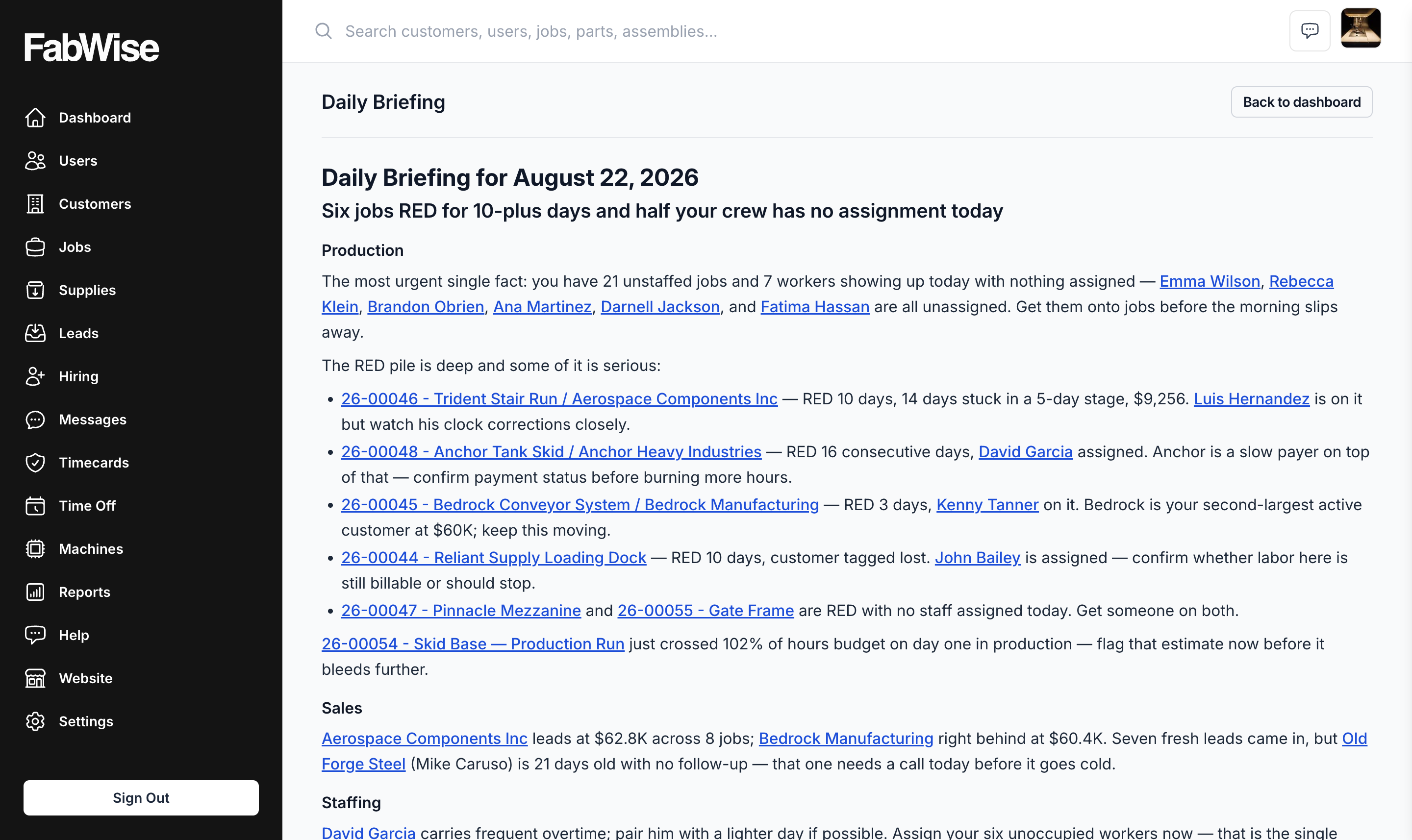
Foreman's Daily Briefing in the FabWise dashboard, leading with the jobs that need attention first

See what needs your attention before you ask — Foreman watches your shop and tells you.

Start Free Trial

30 days · No credit card required

Foreman — An Intelligent Assistant That Monitors Your Jobs

Labor is hard to find. A good foreman — someone who knows every job, watches every shift, and catches a problem two days before it becomes one — is harder still. Foreman doesn't replace that person. It gives every shop owner a version of that visibility, built from the shift and job data your shop is already capturing.

Once a shop is tracking time and jobs well — hours landing on the right job as they're worked, shifts reviewed and signed off — that data is sitting there whether anyone looks at it or not. Foreman's job is to look at it every day so you don't have to go digging for it.

The Problem Foreman Solves

A shop owner running the floor knows the same three things need answering every morning: who's on the floor today, which jobs are quietly running long, and who still needs a callback. Finding those answers usually means opening the schedule, then the job list, then the CRM — and doing it again tomorrow.

Foreman answers all three before you've opened anything. It reads your shop's own numbers overnight and writes one short, plain-spoken briefing waiting for you when you open the app.

Daily Briefing: The Morning Read

Every morning, Foreman writes a short summary of your shop and leads with the one thing that most needs your attention that day. It's built from:

  • Today's crew — who's scheduled, in which department, and when.
  • Your active jobs, ranked by dollar value and the hours they'll take — each with its stage, how long it's been there, and whether it's running over.
  • Anything due today — a due date, a committed start or finish, an expected close, or a quote about to expire.
  • Your biggest customers — where the most active work and dollars are concentrated right now.
  • New leads waiting for a follow-up, and how long they've been waiting.

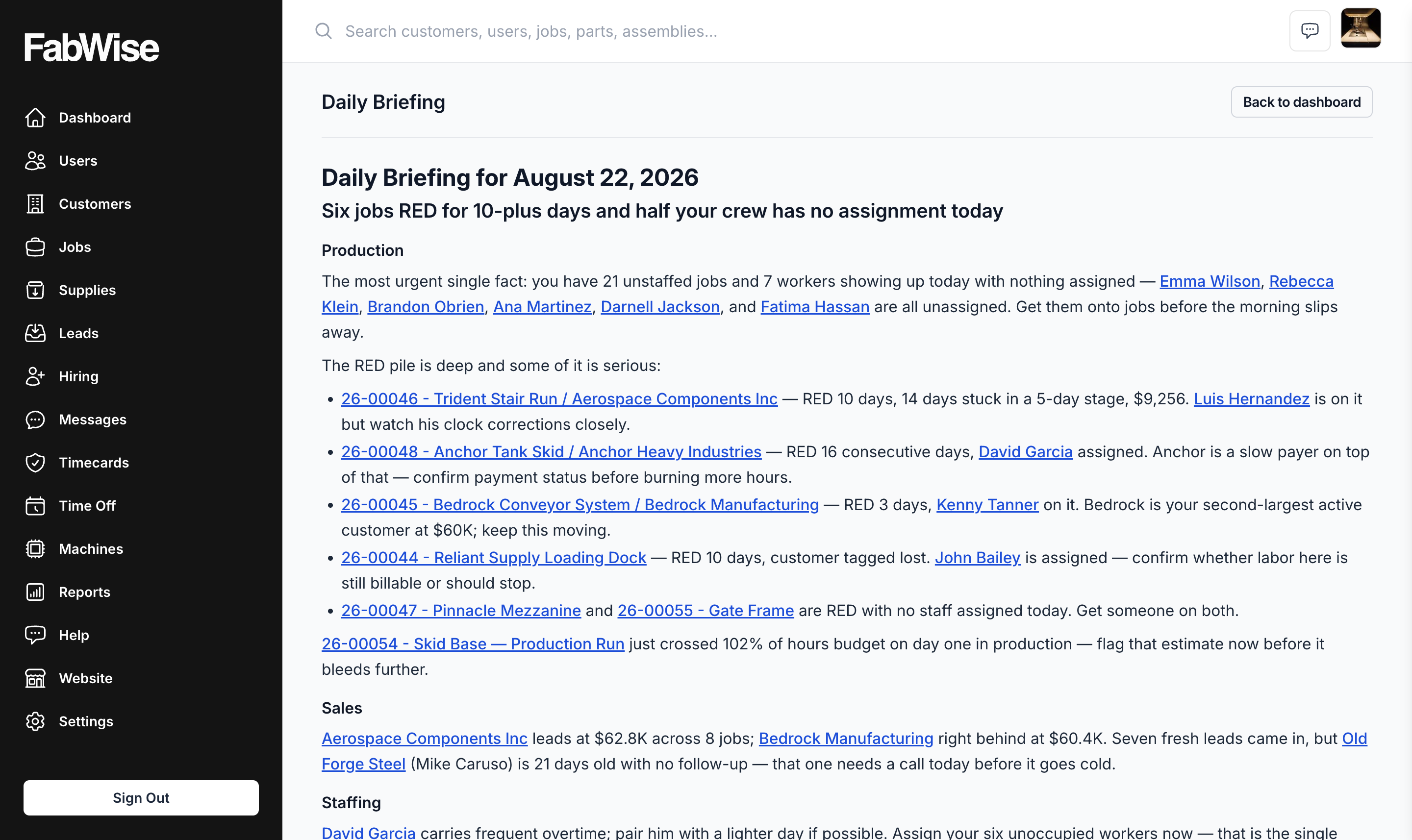
A full Daily Briefing — production, sales, and staffing in plain language, with every job and worker linked to its record

Every name in the briefing — a job, a customer, a worker, a lead — is a link straight to that record.

It also remembers. Foreman keeps the last few mornings in mind, so it can tell you a job has been trending over budget for the sixth day running, or that something moved to production yesterday, instead of handing you the same snapshot with no sense of what's changed. It arrives at 6:00 in your shop's local time, on your dashboard and in the FabWise iOS app, and you can pull a fresh one any time.

The Daily Briefing card at the top of the admin dashboard — the morning's headline, one click from the full briefing

Nick Ulicney, who runs Cooks Fabricating and co-founded FabWise, described it this way:

"It's essentially the way I would be thinking in two days if I had this information, but the program's telling me two days before. It's the program's looking at it, and it says, you had 20 hours for this job. You're at 17.9 hours on it. Tomorrow you're going to go over if he keeps working on it — maybe you should look into it."

"I basically have another inner dialogue helping me run the shop now, where I'm staying in front of problems and I'm not having to remember every detail and chase down every job. It's highlighting things that it sees as a risky area for me, where I'm losing money or I'm behind schedule, where I could have a potential upset customer."

Chat With Foreman

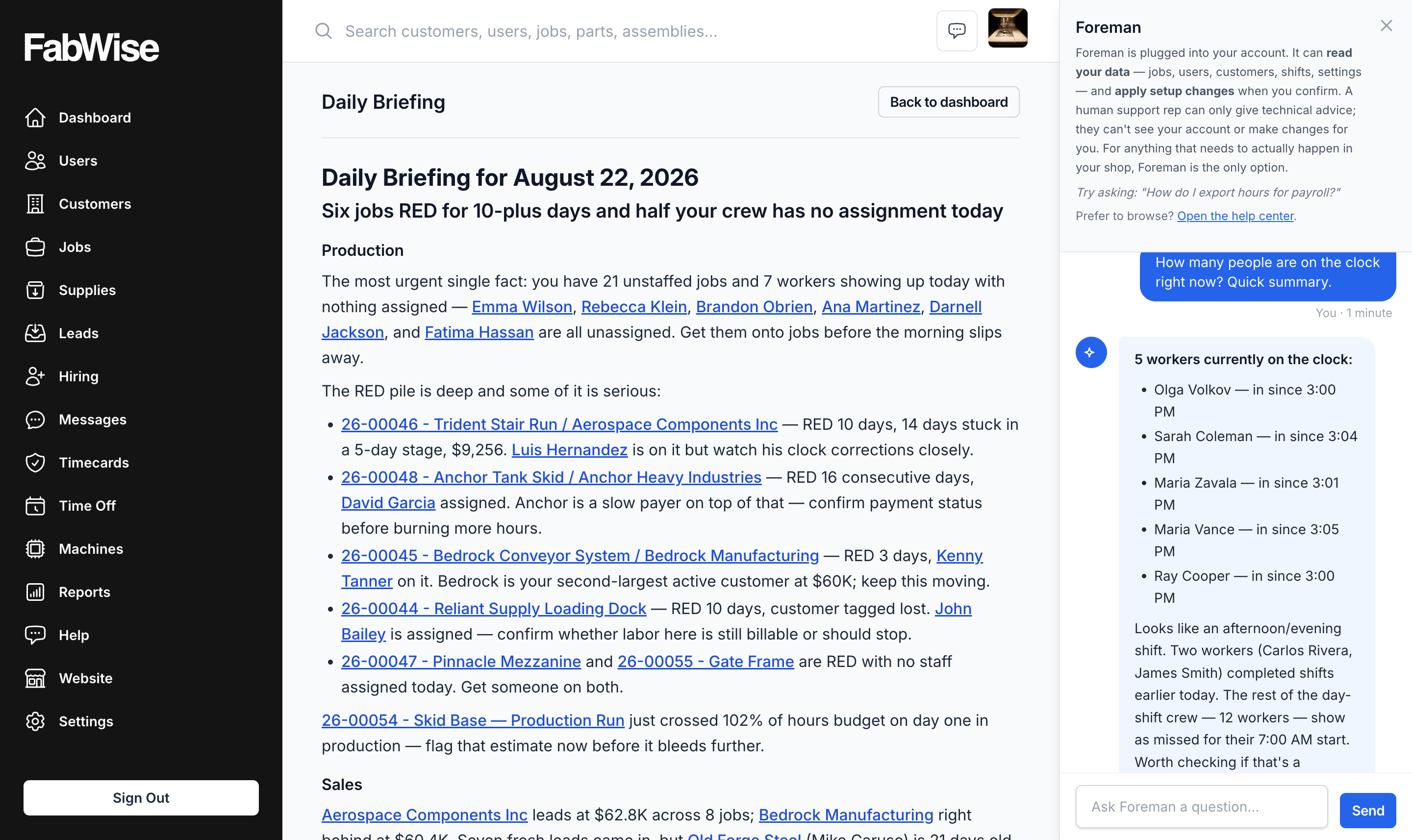
Ask about a job, a shift, or an employee in plain language and get an answer pulled straight from your account — no report to build first. It's the same underlying data as the briefing, available on demand instead of once a morning.

Chat with Foreman in the drawer — asked who's on the clock right now, answered from the shop's live shift records

End of Day: Voice Allocation

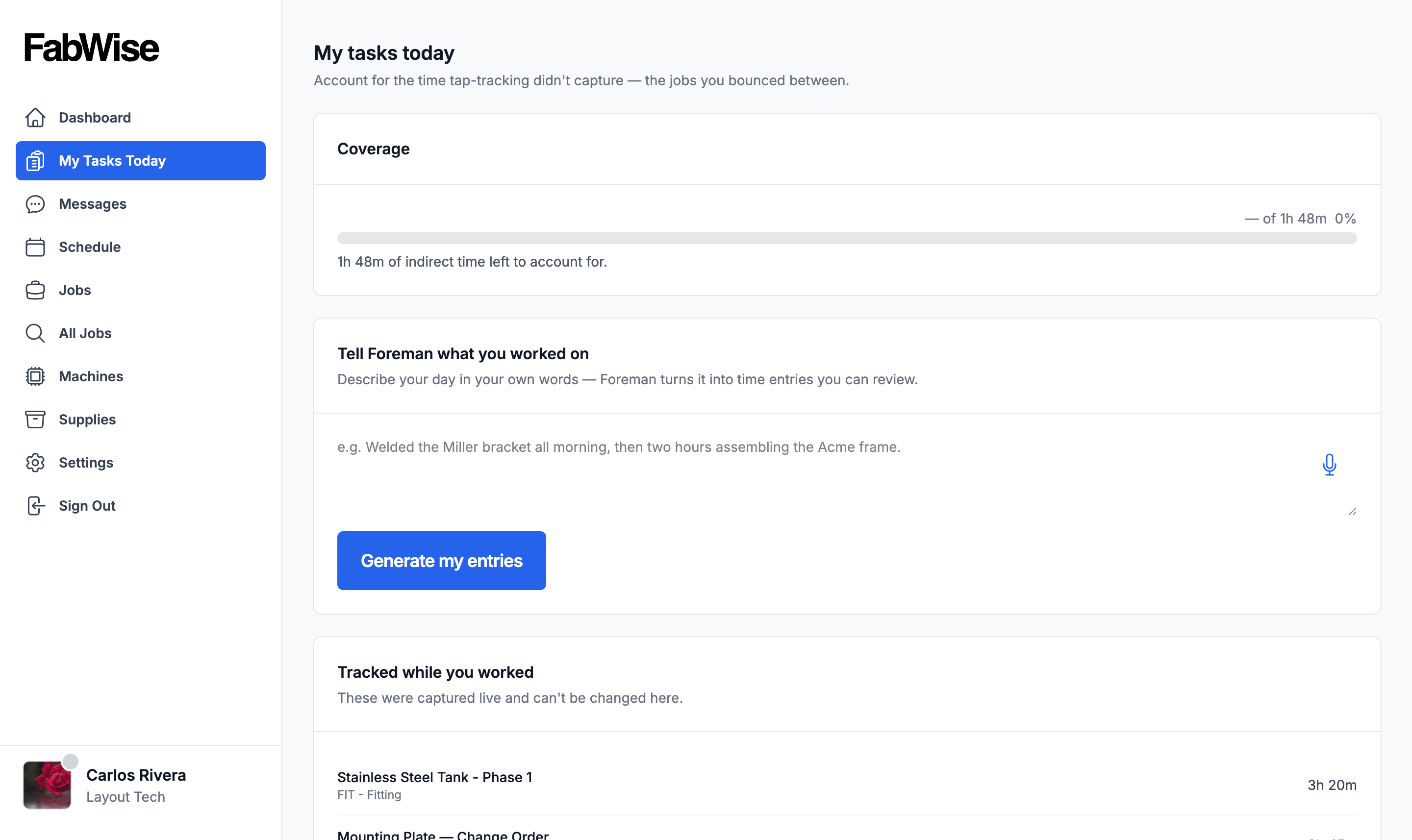
Tell Foreman what you worked on and it logs the task — a spoken alternative to tapping through jobs at the workstation. It's built for the day that moved too fast to tap every change as it happened: talk through the day's work at the end of the shift, and Foreman turns it into the same task records a tap would have produced.

My Tasks Today at the workstation — describe the day in your own words, spoken or typed, and Foreman turns it into task entries you review

What Foreman Doesn't Do

Foreman reads your shop's own data — shifts, jobs, customers, leads — and only that data. It doesn't make anything up: if a job doesn't have a price set yet, the briefing says so instead of guessing. Foreman doesn't clock anyone in or out, doesn't approve a shift, and doesn't touch payroll. Those stay exactly where they are today — captured at the workstation and kiosk, reviewed and signed off by a supervisor, exported to your payroll provider.

Availability

Daily Briefing and end-of-day voice allocation are Professional-tier features. Both are off by default on every plan, including Professional — an admin turns them on for the shop, and each person who wants the briefing turns it on for themselves. Nothing about Foreman runs, or shows up in anyone's dashboard, until someone at your shop switches it on.
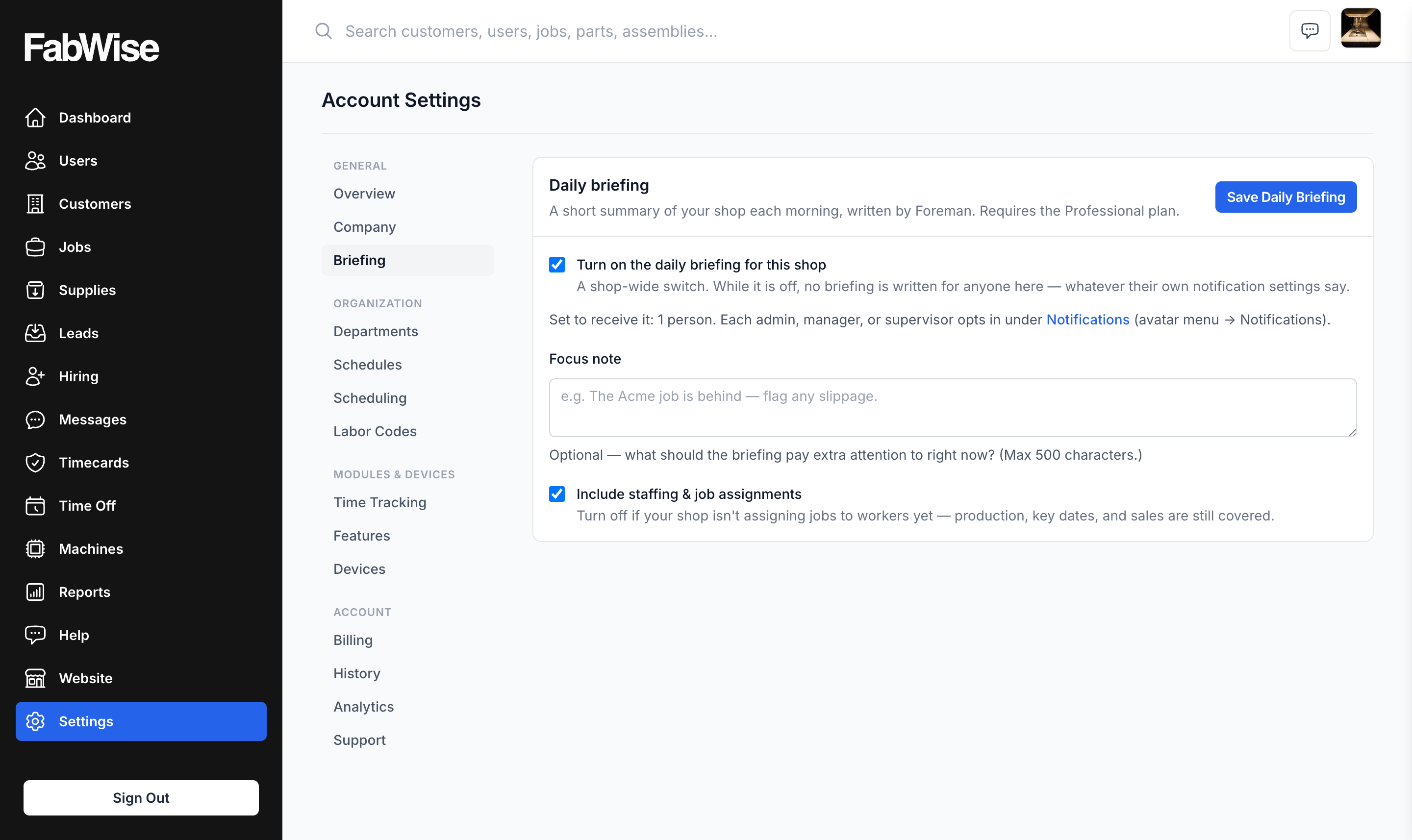
The shop-wide Daily Briefing switch in account settings — no briefing is written for anyone until an admin turns it on

Feature modules in account settings — End-of-Day Allocation is its own switch, off until an admin flips it

Per-person notification settings — each admin, manager, or supervisor opts into the briefing for themselves

Is Foreman Right for Your Shop?

Foreman is the right fit if:

  • You're already tracking time and jobs in FabWise, and want that data working for you instead of sitting in a report nobody opens.
  • You start most mornings re-deriving the same three questions — who's here, what's slipping, who needs a call back.
  • You'd rather catch a job running over budget two days out than find it at invoice time.
  • You're on the Professional plan and want an admin to turn the briefing and voice allocation on for the shop.

Foreman is built on the same time tracking and job costing data every FabWise shop already captures — it doesn't require a separate setup or a second place to enter information. It's what that data starts doing once someone looks at it every morning instead of once a quarter.
Start your morning already caught up.

Foreman reads your shop's own numbers overnight and hands you the one thing that matters most today.

Start Free Trial

30 days · No credit card required