
A shop owner running the floor knows the same three things need answering every morning: who's on the floor today, which jobs are quietly running long, and who still needs a callback. Finding those answers usually means opening the schedule, then the job list, then the CRM — and doing it again tomorrow.
The Daily Briefing does that reading for you, from the shift and job data your shop is already capturing.
What Goes Into It
- Today's crew — who's scheduled, in which department, and when.
- Your active jobs, ranked by dollar value and the hours they'll take — each with its stage, how long it's been there, and whether it's running over.
- Anything due today — a due date, a committed start or finish, an expected close, or a quote about to expire.
- Your biggest customers — where the most active work and dollars are concentrated right now.
- New leads waiting for a follow-up, and how long they've been waiting.
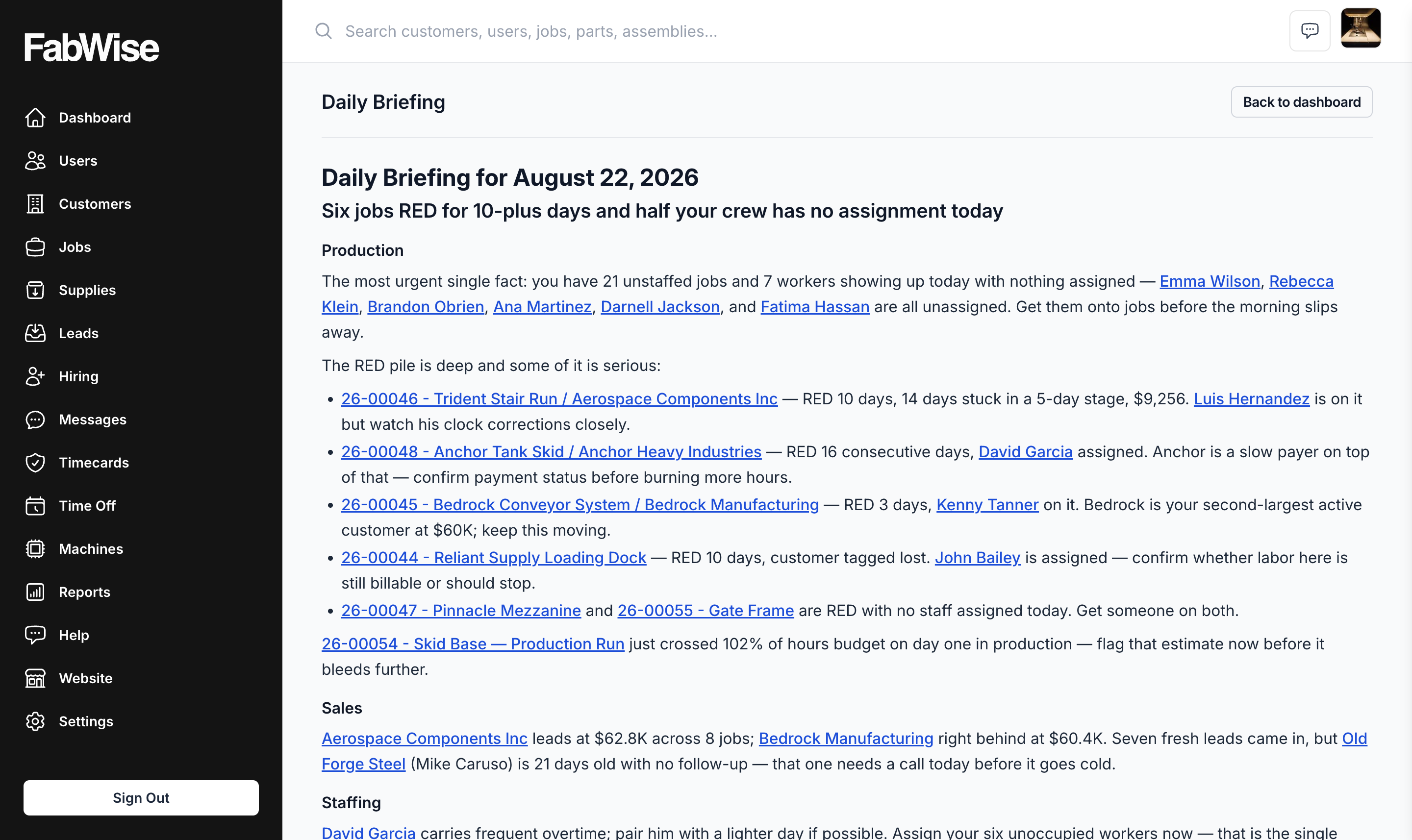
Every name in the briefing — a job, a customer, a worker, a lead — is a link straight to that record. The briefing is a starting point for the morning, not a report to file.
It Remembers Yesterday
Foreman keeps the last few mornings in mind, so it can tell you a job has been trending over budget for the sixth day running, or that something moved to production yesterday, instead of handing you the same snapshot with no sense of what's changed.
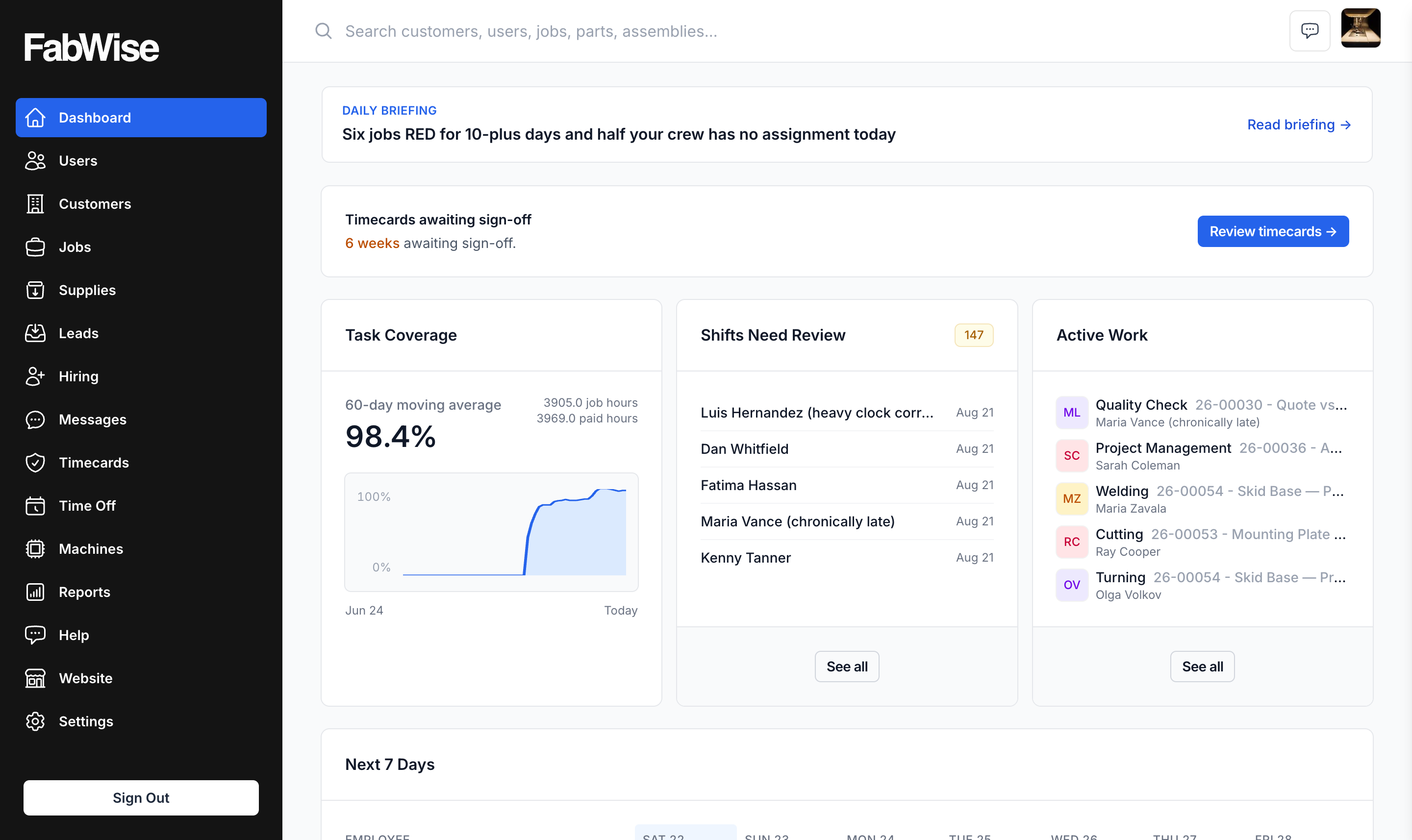
It arrives at 6:00 in your shop's local time, on your dashboard and in the FabWise iOS app, and you can pull a fresh one any time.
What It Looks Like in a Real Shop
Nick Ulicney, who runs Cooks Fabricating and co-founded FabWise, described it this way:
"It's essentially the way I would be thinking in two days if I had this information, but the program's telling me two days before. It's the program's looking at it, and it says, you had 20 hours for this job. You're at 17.9 hours on it. Tomorrow you're going to go over if he keeps working on it — maybe you should look into it."
"I basically have another inner dialogue helping me run the shop now, where I'm staying in front of problems and I'm not having to remember every detail and chase down every job. It's highlighting things that it sees as a risky area for me, where I'm losing money or I'm behind schedule, where I could have a potential upset customer."
What It Needs From You
The briefing is only as good as the data underneath it. It reads your time tracking and job costing — so hours landing on the right job as they're worked, and shifts reviewed and signed off, are what make the morning read worth having.
It is a Professional-tier feature and is off by default. An admin turns it on for the shop, and each person who wants it turns it on for themselves. See Foreman for how that switch works.
Related
- Foreman — the whole assistant, and what it will not do
- Chat with Foreman — the same data, asked on demand instead of once a morning
- Reading your shop's data before you go looking for it