
Tapping a job change at the workstation as it happens is the accurate way to do it, and it stays the default. But some days do not go that way. A worker gets pulled across four jobs before lunch, fixes something on a fifth, and by the end of the shift the tap record does not describe the day.
The usual outcome is that the gap gets filled in from memory a week later, or not at all.
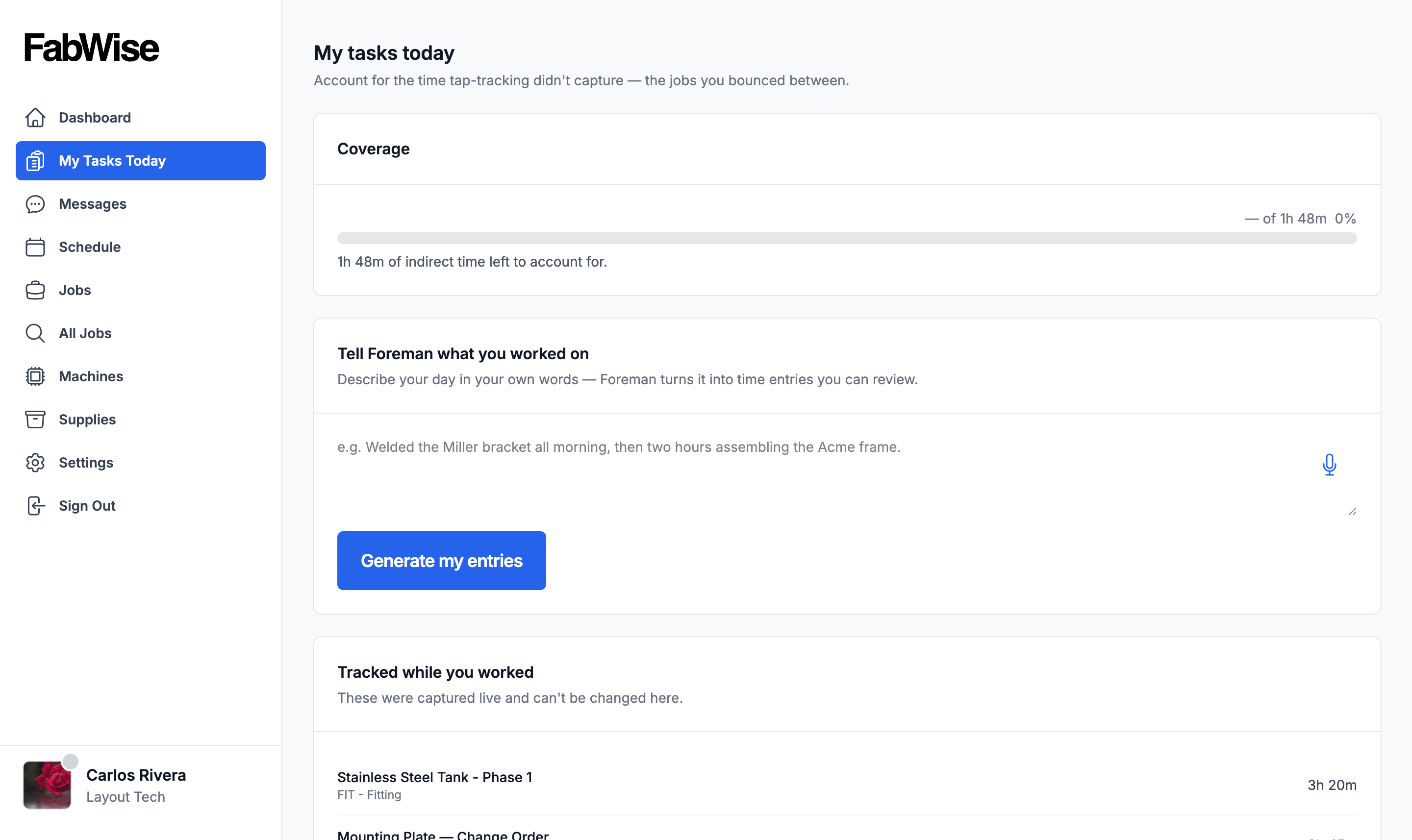
How It Works
At the end of the shift, the worker describes the day in their own words — spoken or typed. Foreman turns that into the same task entries a tap would have produced, against the same jobs.
The worker reviews what it drafted before anything is saved. It is a drafting tool, not an authority: nothing lands on a job because Foreman thought it should.
What It Does Not Change
Captured time is still captured time. Clock-in and clock-out are the tap record, and this does not touch them — it allocates on-the-clock hours across jobs, it does not invent hours. A supervisor still reviews and signs off the week the same way.
If that distinction matters to you, it should: it is the same principle the rest of FabWise runs on. Capture is what actually happened; everything downstream is a correction with its own author and audit trail.
Availability
End-of-Day Allocation is a Professional-tier feature and is off by default on every plan, including Professional. An admin turns it on for the shop in account settings — it is its own switch, separate from the Daily Briefing.
Related
- Foreman — the whole assistant
- Workstation — the per-worker app where tap-tracking happens
- Tasks and time tracking — how hours land on a job