
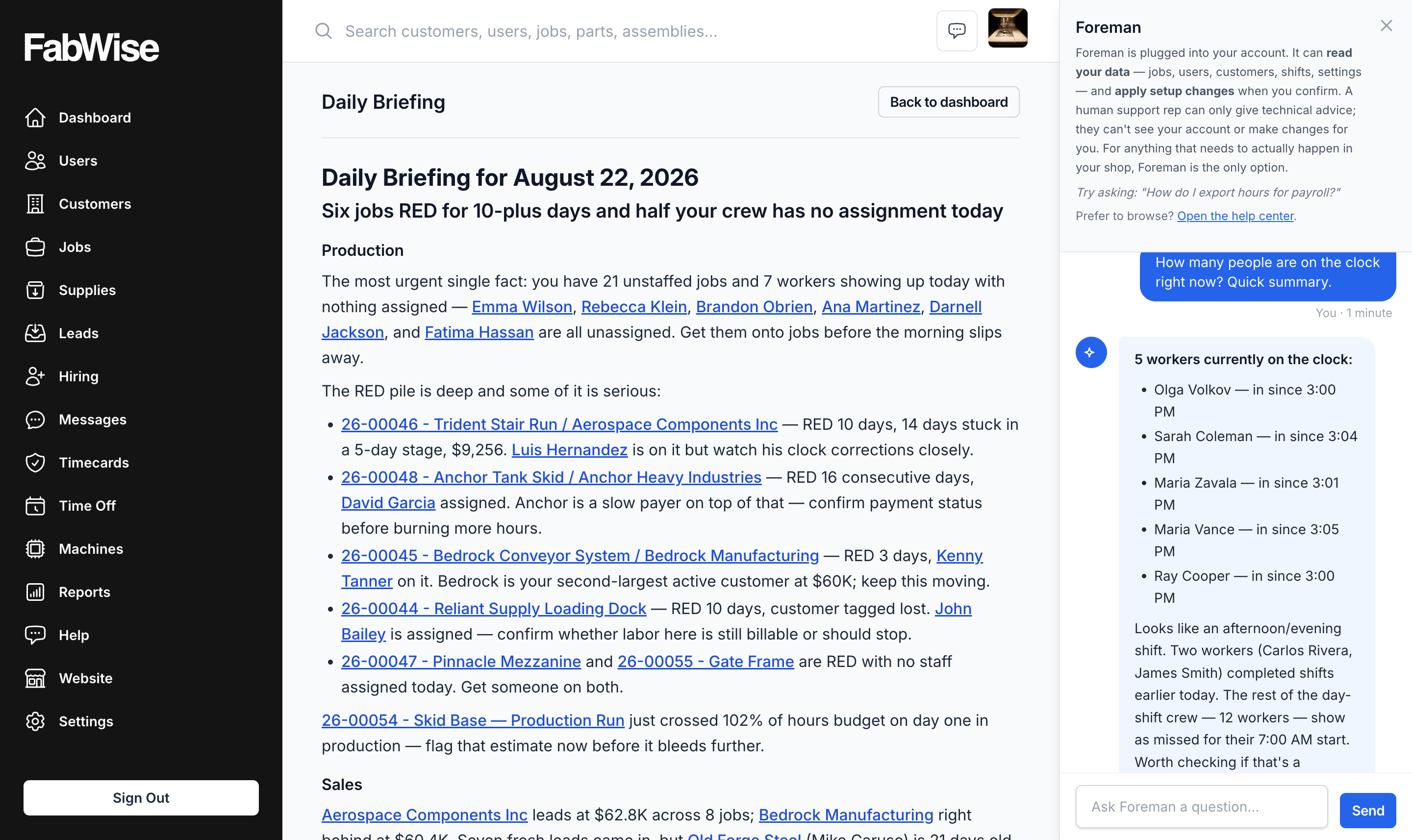
The Daily Briefing answers the questions you have every morning. Chat is for the ones you have at 2pm — who's still on the clock, what did we quote that customer last time, how many hours has this job taken so far.
Why Not Just Run a Report
Reports answer questions you knew you'd have. The one you actually have on a Tuesday afternoon is usually specific, one-off, and not worth building a report for — so it either goes unanswered or costs you ten minutes of clicking through the job list.
Chat is the fast path for that class of question. It opens in a drawer over whatever you're already doing, so asking does not cost you the page you were on.
What It Can See
Foreman answers from your shop's own records — shifts, jobs, customers, leads. It does not make anything up: if a job has no price set yet, it says so rather than guessing.
It is scoped to your account and to what your role can already see. Chat is not a way around permissions: a supervisor asking about payroll gets what a supervisor is allowed to know.
What It Will Not Do
Chat reads. It does not clock anyone in or out, approve a shift, or touch payroll — those stay where they are, captured at the workstation and kiosk, reviewed and signed off by a supervisor.
Availability
Chat is available to signed-in admins, managers and supervisors. Like the rest of Foreman, it reads only your own shop's data — see Foreman for what the assistant does and does not touch.
Related
- Foreman — the whole assistant
- The Daily Briefing — the same data, written for you every morning
- End-of-day voice allocation — talking your day into task records