
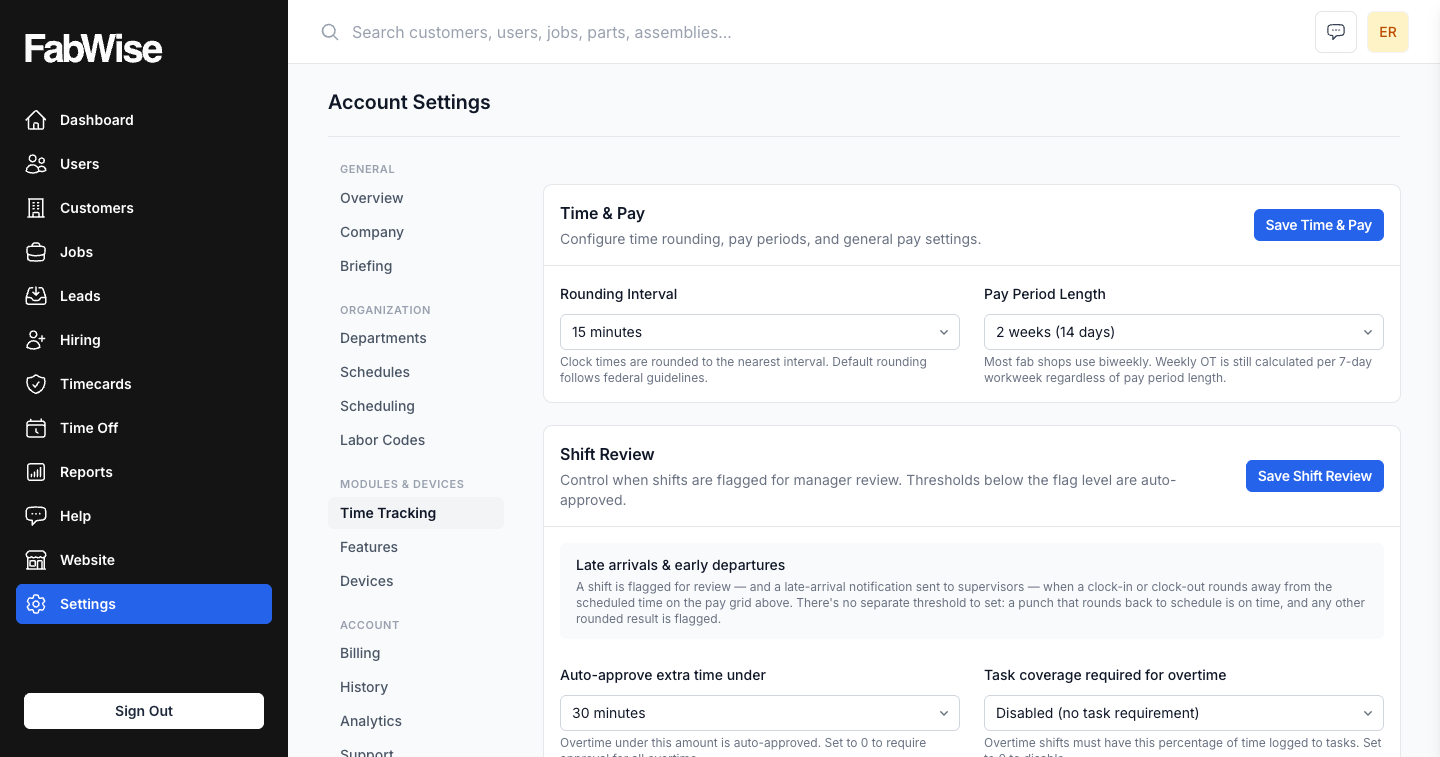
Why rounding exists at all
Nobody arrives at exactly 7:00. They arrive at 6:57, or 7:03, or 7:11, and a shop that pays to the second ends up with timecards full of numbers like 8.13 hours that mean nothing to anybody.
Rounding turns a clock reading into a payable increment. Most shops use six minutes, ten, or fifteen. That part is ordinary, and every time clock does something like it.
What varies — and what shops actually get burned by — is how consistently it gets applied, and whether anyone can explain the result.
One interval, chosen once
You set a single rounding interval for your shop. That number does three jobs, and it is the same number in all three:
- It rounds the clock reading to the nearest boundary.
- It sets the tolerance for what counts as arriving on time or leaving early.
- It defines punctuality in attendance and punctuality.
There is no separate "grace period" field to configure differently from the rounding, no second threshold that quietly disagrees with the first. One value, one meaning.
That matters more than it sounds. When rounding and lateness are configured independently, you eventually get the situation where a worker is docked a few minutes of pay while the system also records them as on time — or the reverse. Both numbers are defensible on their own and the pair is indefensible together, which is exactly the argument you do not want to have on a Friday afternoon.
It rounds both directions
FabWise rounds to the nearest boundary, not down.
On a six-minute interval, a 7:02 clock-in rounds back to 7:00 and a 7:04 rounds forward to 7:06. Early arrivals round toward the schedule the same way late ones do. The rule does not lean toward the shop, and it does not lean toward the worker — it is symmetric, and it is the same rule for the start of the shift and the end of it.
This is the property that makes rounding acceptable on a floor. A worker who notices that clocking in two minutes early never helps but two minutes late always hurts will stop trusting the clock, and a time system people distrust starts producing worse data almost immediately.
The same number everywhere
The rounded time is what gets used — for pay, for exception review, and for the punctuality figure.
There is one shared definition of "on time" in the product: an edge is on time when its rounded time lands exactly on the scheduled time, with no paid dock or credit in either direction. Arrival checks, departure checks, extra-time checks, and the punctuality metric all read that same predicate rather than each restating their own version of it.
That is deliberate, and it came from getting it wrong once — an earlier comparator scored a clock-in that was exactly half an interval late as on time while pay docked it for the same shift. Two answers to one question. Now there is one.
What a worker can check
The point of all of this is that the result is explainable in one sentence.
A worker asking why Tuesday shows 7:00 when they clocked in at 7:02 gets a real answer: the shop rounds to six minutes, 7:02 is nearer to 7:00 than to 7:06, so it rounded back — and the same rule would have moved 7:04 forward instead. Nothing about that requires trusting anybody's judgment, which is the whole reason it works.
Rounding is also applied to the captured tap, never to a supervisor's correction of it. Capture stays immutable — a correction lives alongside the original with its own record of who made it and why, so the rounding rule and the correction trail stay separate things.
Where this fits
Rounding sits underneath time tracking and shows up in three places downstream: the hours on the payroll export, the shifts that surface for review, and the punctuality figure in attendance and punctuality.
FabWise captures and reports the hours. What those hours are paid at, and how they are classified, stays with your payroll provider.